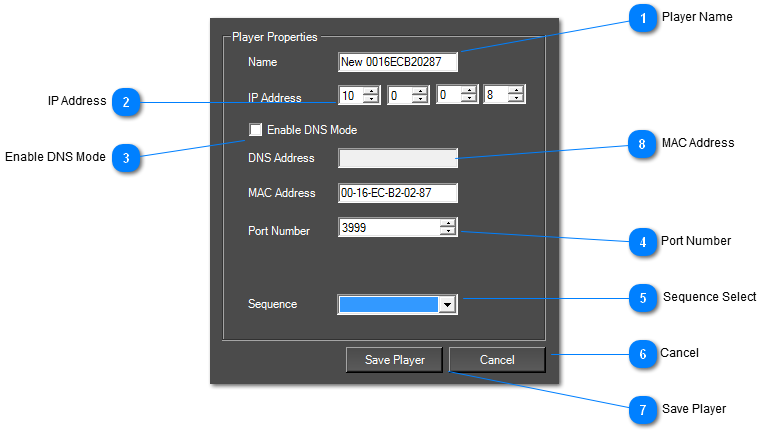
Here you can setup each player in your network. If the player has been automatically detected, the settings are automatically filled in.
You can call the player something that can easily identify it.
 Player Name
Use a name that you can easily identify the player with.
|
|
 IP Address
 of the Player
|
|
 Enable DNS Mode
Enable to use a DNS name instead of an IP address.
|
|
 Port Number
Sets the port number of the Player.
|
|
 Sequence Select
Select which sequence the player will run.
|
|
 Cancel
Discards the player settings.
|
|
 Save Player
Saves the Player settings.
|
|
 MAC Address
This is the MAC address of the AdVis Player. It is a unique key which identifies each player.
|
|