If you are experiencing any problems, or need help with something, we can remotely log in to your system and see what needs to be done.
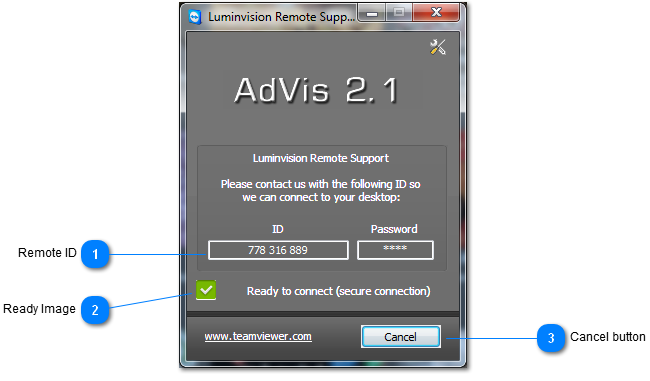
To do this, you need to make sure you have a working internet connection, then click the 'Remote Help' button. You should be prompted with a 9 digit ID which you will need to send to us.
You must leave the Remote Help window open for us to be able to connect to your system.
 Remote ID
You need to supply us with this number. If you don't see a 9-digit number, please check your internet connection.
|
|
 Ready Image
Indicates whether the Remote Help program is connected to the internet and ready to receive an incoming connection.
|
|
 Cancel button
Closes the Remote Help program. We will not be able to connect to your system if you close Remote Help.
|
|