|
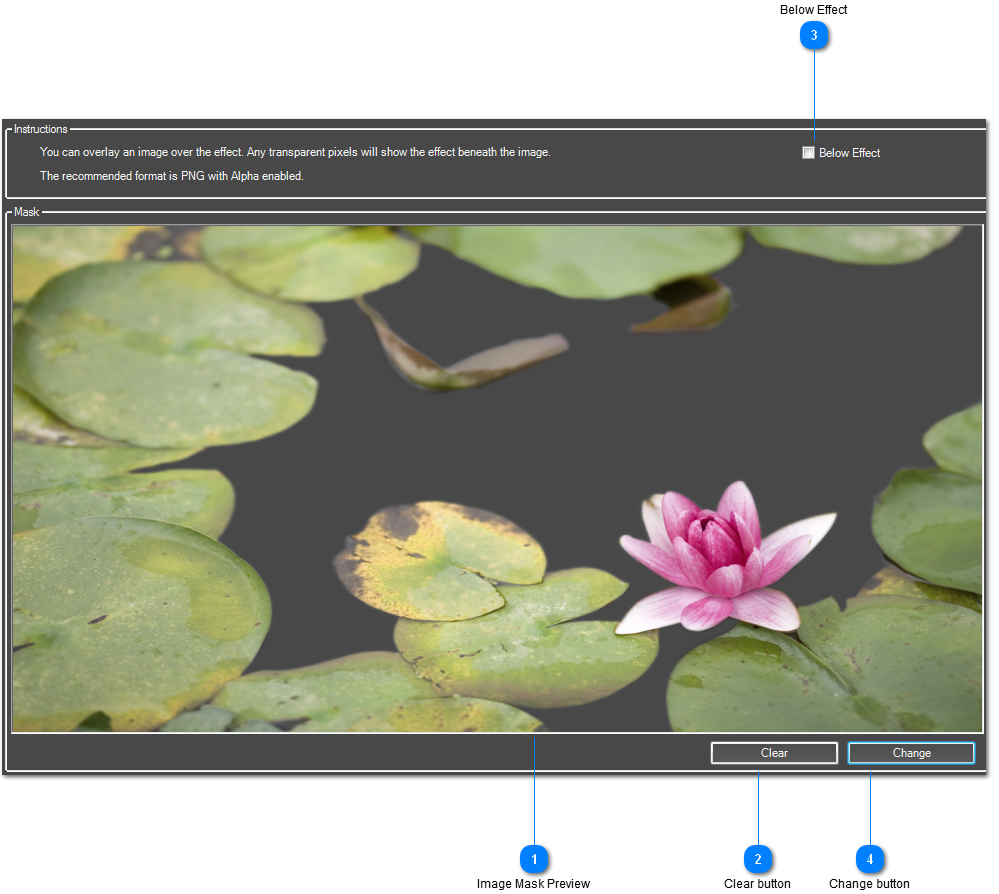
It's possible to load an image that is shown either on top or below the interactive effect and always above the background layer.
Using an alpha channel, content beneath the mask can still be seen. This can give effects more of a '3D' effect as they are built up in layers.
 Image Mask Preview
Preview of the Image Mask you have loaded. You can see where the transparent pixel are as it shows the grey background of the config window.
| |
 Clear button
Removes the Image Mask from this effect.
| |
 Below Effect
If selected, the mask will appear above the background layer, but below effect specific layers.
| |
 Change button
Click here to browse for an Image Mask file.
| |
|
|