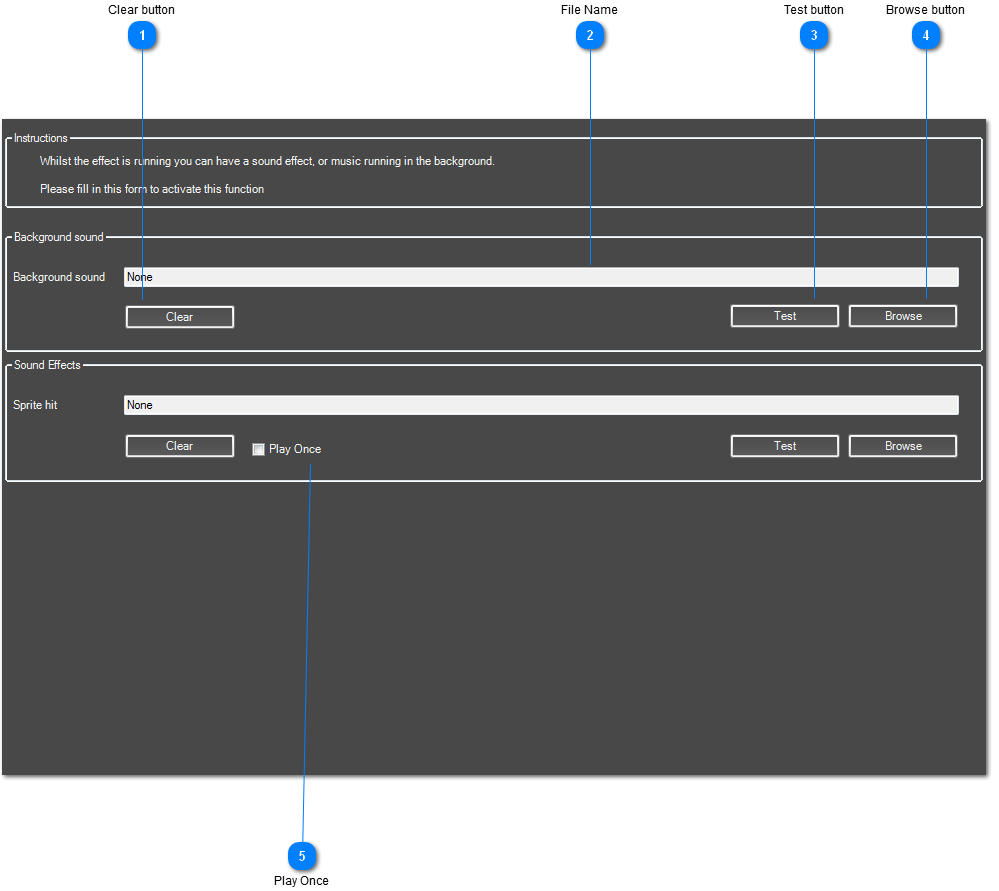
Every interactive effect supports sound. You can load a background sound that will be played as soon as the effect starts and continually loop until the effect finishes.
Some effects can also have interactive sounds that are played when motion is detected.
Click 'Browse' to search for a new Sound file. When it's loaded into AdVis you can press the 'Test' button to preview the sound. Press the button again to stop the sound.
 Clear button
Unloads the sound file.
|
|
 File Name
Shows the currently loaded File Path and Name
|
|
 Test button
Plays back a preview of the sound file you have loaded. Press again to stop the sound.
|
|
 Browse button
Browse for your sound file.
|
|
 Play Once
When 'Play Once' is selected, AdVis will wait until the sound has finished playing before playing the sound again. If the sound effect you have is long, this will stop lots of copies being played back at the same time and creating a lot of noise.
|
|